PPN Support Documentation
| Site: | Pediatric Pandemic Network Learn |
| Course: | Pediatric Pandemic Network Learn |
| Book: | PPN Support Documentation |
| Printed by: | Guest user |
| Date: | Sunday, September 6, 2026, 4:19 PM |
Welcome to the PPN Learn support document page. This support page is for users of the PPN Learn platform. As we expand features, we will add new support documents for commonly asked questions. If you are not able to find an answer to your question, please contact us and we will be happy to support you.
- How to Enroll in content.
- Sign into OpenPPN
Welcome to the PPN Learn support document page. This support page is for users of the PPN Learn platform. As we expand features, we will add new support documents for commonly asked questions. If you are not able to find an answer to your question, please contact us and we will be happy to support you.
Welcome to the PPN Learn support document page. This support page is for users of the PPN Learn platform. As we expand features, we will add new support documents for commonly asked questions. If you are not able to find an answer to your question, please contact us and we will be happy to support you.
Welcome to the PPN Learn support document page. This support page is for users of the PPN Learn platform. As we expand features, we will add new support documents for commonly asked questions. If you are not able to find an answer to your question, please contact us and we will be happy to support you.
Welcome to the PPN Learn support document page. This support page is for users of the PPN Learn platform. As we expand features, we will add new support documents for commonly asked questions. If you are not able to find an answer to your question, please contact us and we will be happy to support you.
Welcome to the PPN Learn support document page. This support page is for users of the PPN Learn platform. As we expand features, we will add new support documents for commonly asked questions. If you are not able to find an answer to your question, please contact us and we will be happy to support you.
Welcome to the PPN Learn support document page. This support page is for users of the PPN Learn platform. As we expand features, we will add new support documents for commonly asked questions. If you are not able to find an answer to your question, please contact us and we will be happy to support you.
Welcome to the PPN Learn support document page. This support page is for users of the PPN Learn platform. As we expand features, we will add new support documents for commonly asked questions. If you are not able to find an answer to your question, please contact us and we will be happy to support you.
Welcome to the PPN Learn support document page. This support page is for users of the PPN Learn platform. As we expand features, we will add new support documents for commonly asked questions. If you are not able to find an answer to your question, please contact us and we will be happy to support you.
- How to Enroll in content.
- Sign into OpenPPN
PPN Learn has three enrollment options for content on the site.
Guest enrollment
Content set to guest enrollment does not require authentication to view. Example.
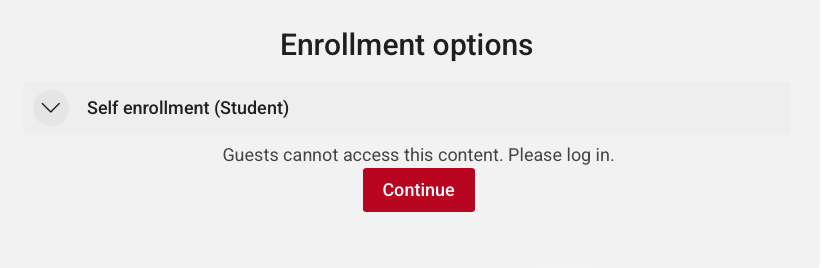
Self enrollment (Student)
Content set to self-enrollment does require login. Click continue to login through OpenPPN and enroll yourself. You do not need to contact anyone to be added to the content. This option is used primarily for modules and courses to allow you to track your progress and to allow content creators to gauge interest.
Manual Enrollment
Content set to manual enrollment requires that the email associated with your Learn profile has been added to the participant list for the course or other content. Once you confirm you have been added to the participant list, you may click continue, login with OpenPPN and access the content. If you need help getting added to the participant list, please contact us.
How to use OpenPPN Single Sign-On
OpenPPN is a single sign-on (SSO) app that allows users to create a single account to access all PPN services (Learn, Resource Central, Continuing Education, Analytics, etc.) To use OpenPPN SSO to sign into a platform, click on the sign in link for the platform and you will be presented with the sign in page below.
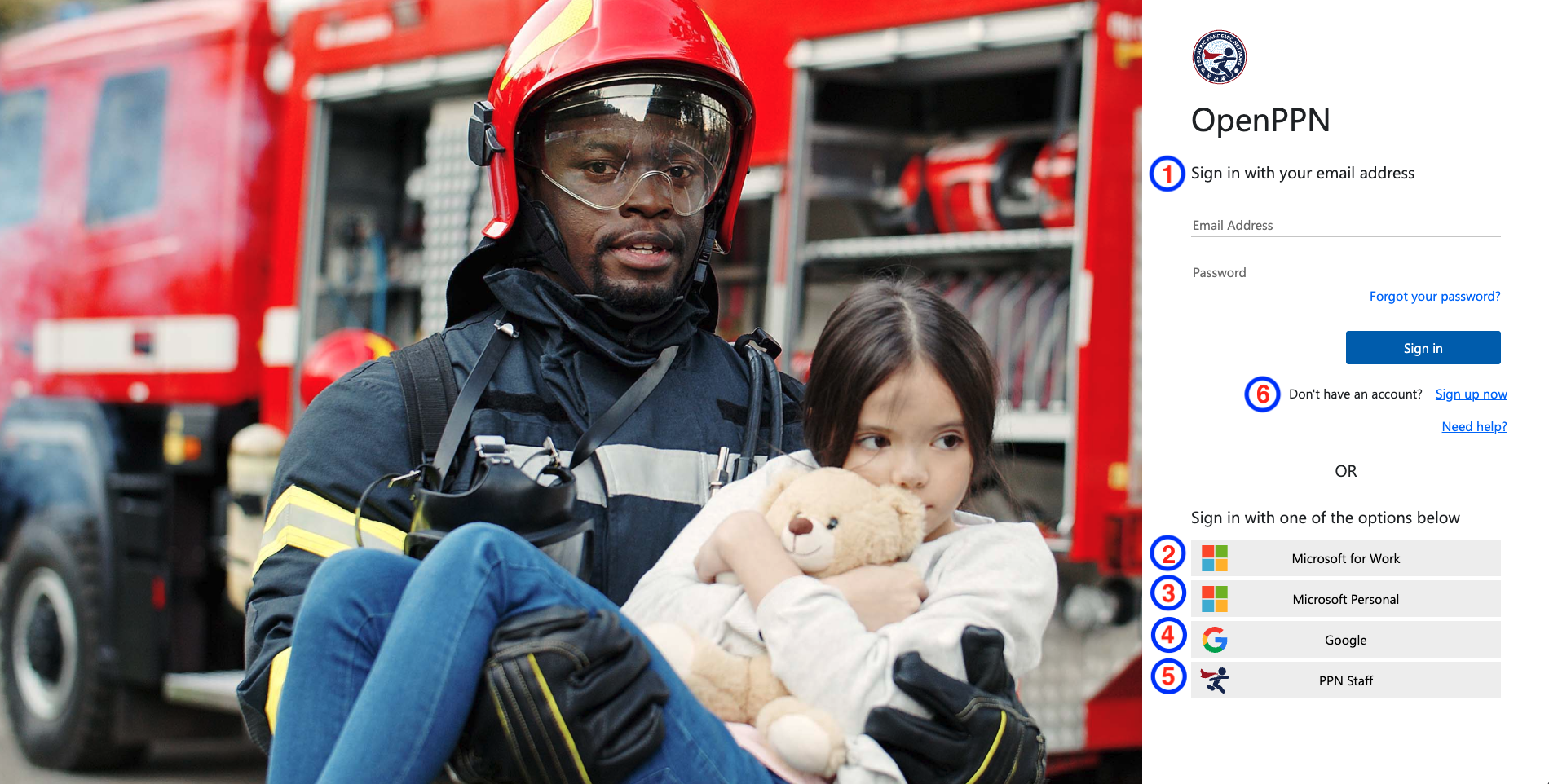
OpenPPN SSO Local Account
An OpenPPN SSO Local account is for users that do not have a PPN Staff account and do not want to share Google or Microsoft sign in information to access PPN services. See option six below to learn more about creating an account.
Microsoft for Work
Users with a Microsoft account at work may use this option to login. This login requires the workplace to allow for the account to be used for single sign on applications. Hint: If this option does not work, try option six below and create a OpenPPN SSO local account using your Microsoft email. You will need to create a password for your new OpenPPN SSO local account.
Microsoft Personal
This option is only for Microsoft accounts for personal use (@live.com; @outlook.com, @msn.com, @hotmail.com) and not for work or school accounts. For work or school accounts, please use one of the other options provided.
Users may use a Google account (@gmail.com or Workspace domain) to sign into OpenPPN.
PPN Staff
This sign in option is for users with a PPN email account (@pedspandemicnetwork.org) or users who collaborate directly with the PPN.
How do I know if I have a PPN Staff account?
Please submit a support request and we will help you verify your account. Alternatively you may use one of the other sign in options on this page.
Create an OpenPPN SSO Local Account
To create an OpenPPN Local Account that can be used across the PPN’s online systems, click the signup now link and complete the form provided.
Work with Us

Rise
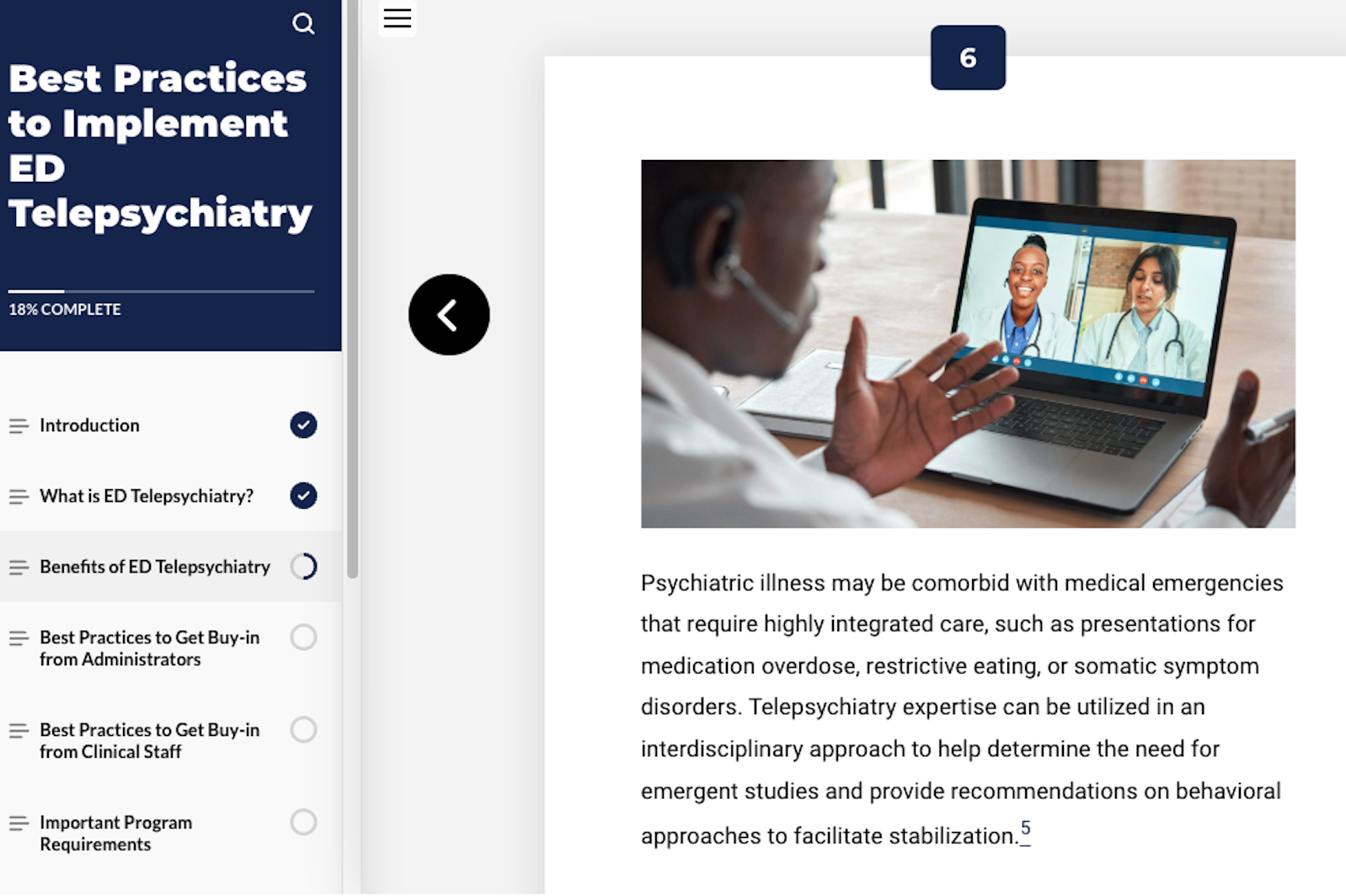
Rise enables rapid development in response to a crisis with web-based tools for creating learning modules quickly and efficiently.
Try a module built with Rise.
Storyline
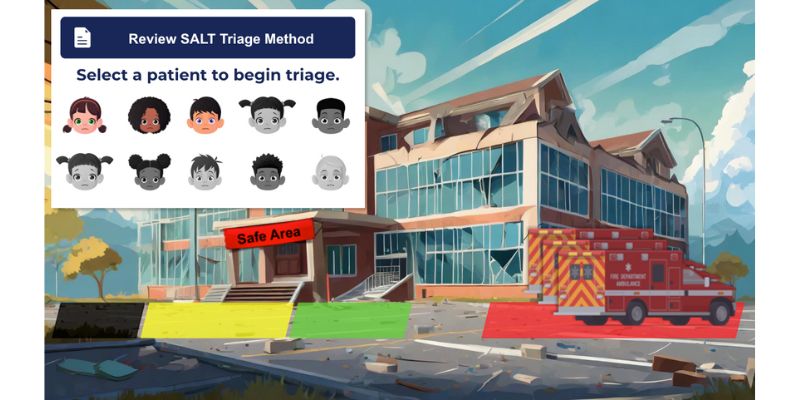
Storyline is ideal for creating immersive learning experiences to ensure caregivers and practitioners are prepared to protect against and prevent the next health threat.
Try a module built with Storyline.

Vimeo
Vimeo includes a toolset for creating engaging and sharable videos including lectures, demonstrations, field trips, and interactive cases. AI tools allow for transcripts and audio to be translated into multiple languages.
Try a lecture built with Vimeo.
H5P
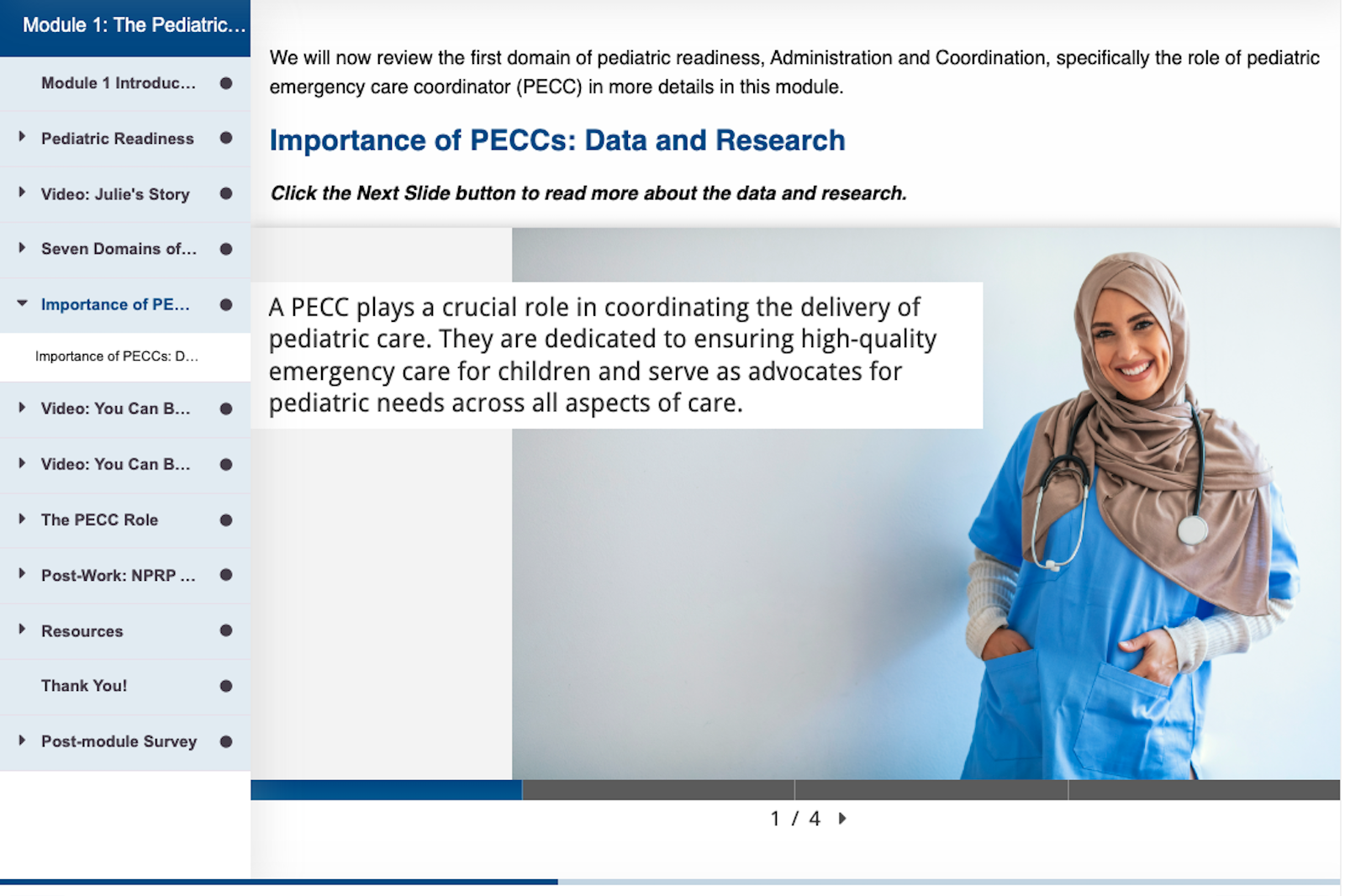
H5P is a web-based open-source authoring tool that makes it easy to create, share, and reuse interactive content.
Try an interactive built with H5P.
Our Approach to Learning Analytics and Reporting
People learn in different ways, so we strive to follow the principle to always meet learners where they are when creating educational products.
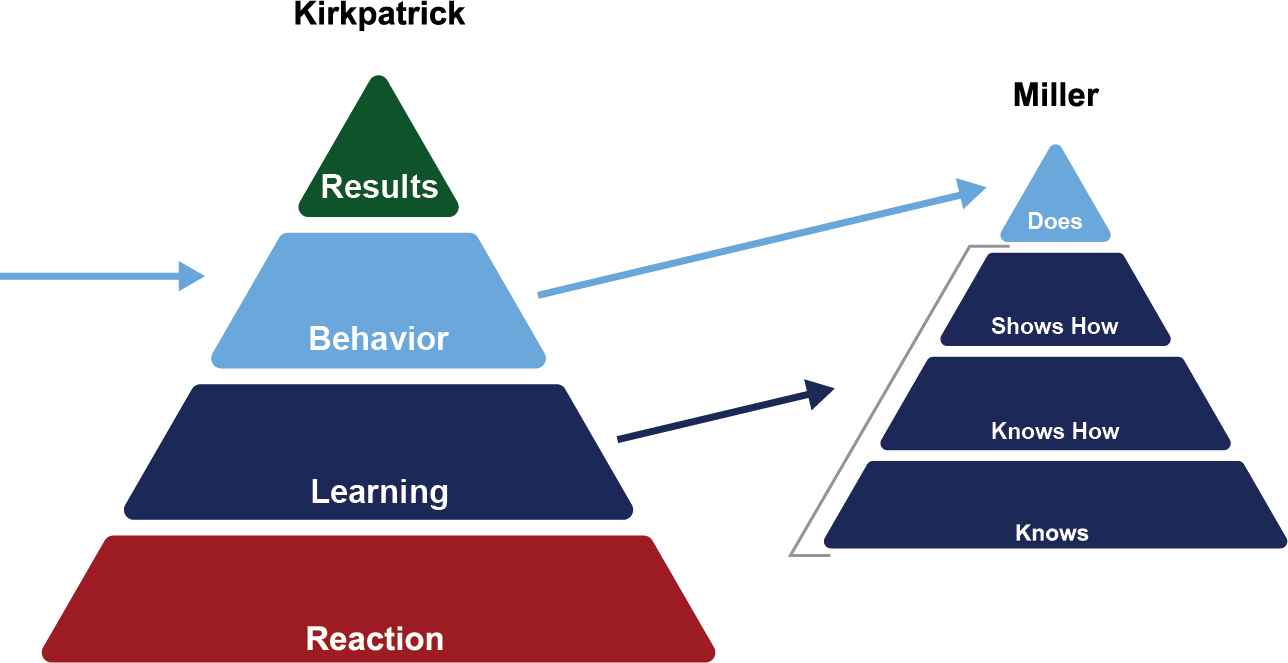
To support this endeavor, all educational products are designed with the Kirkpatrick Model in mind by beginning with the "why" - defining the learning product's purpose and expected outcomes in alignment with the goals of the network and partner organizations.
As we think about behavior and learning outcomes, we work with subject matter experts to translate knowledge into learning activities that support the development described in Miller's Pyramid. Finally, to support measuring reaction, all learning products provide users an opportunity to provide feedback.
Dashboards
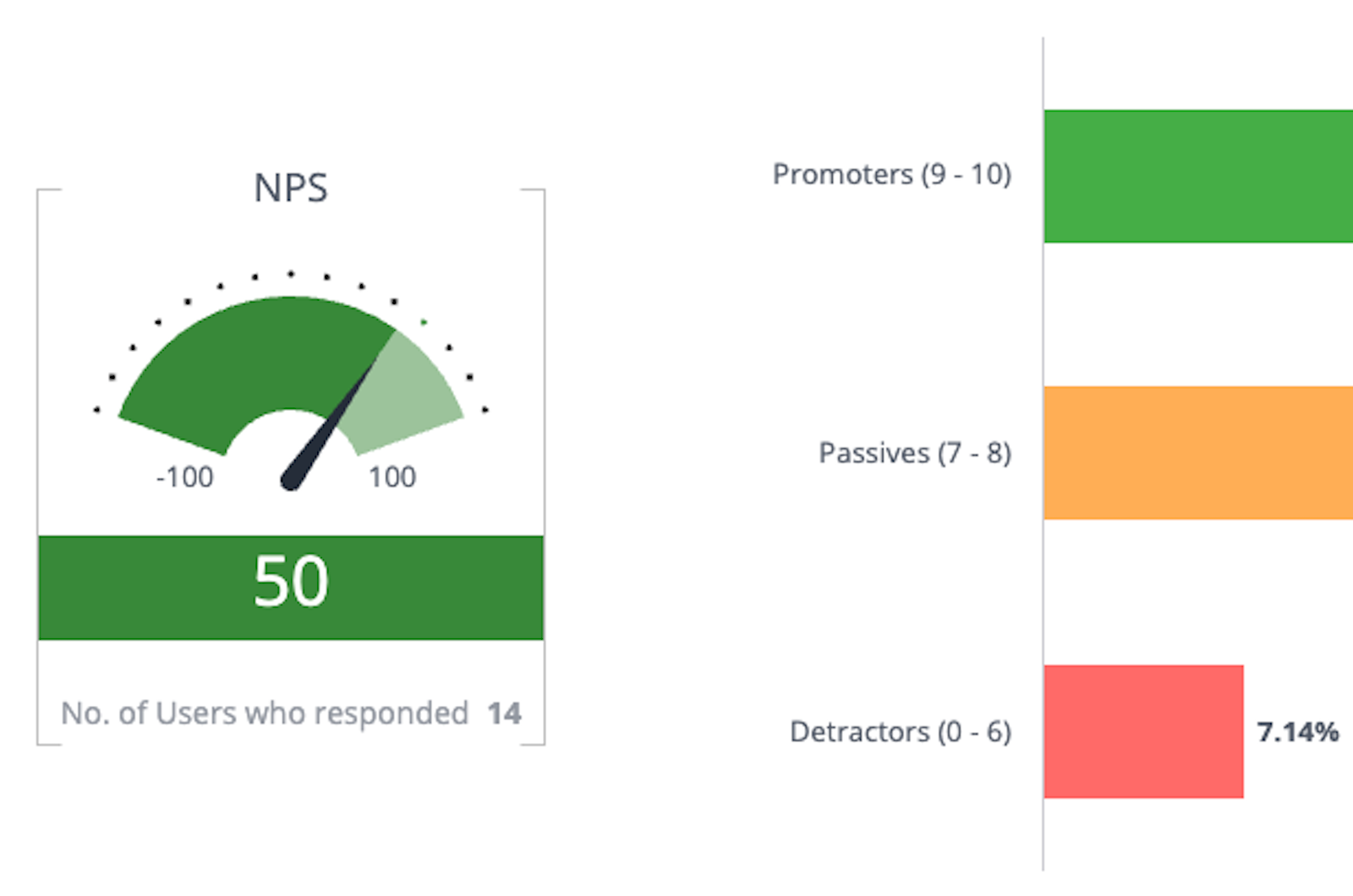
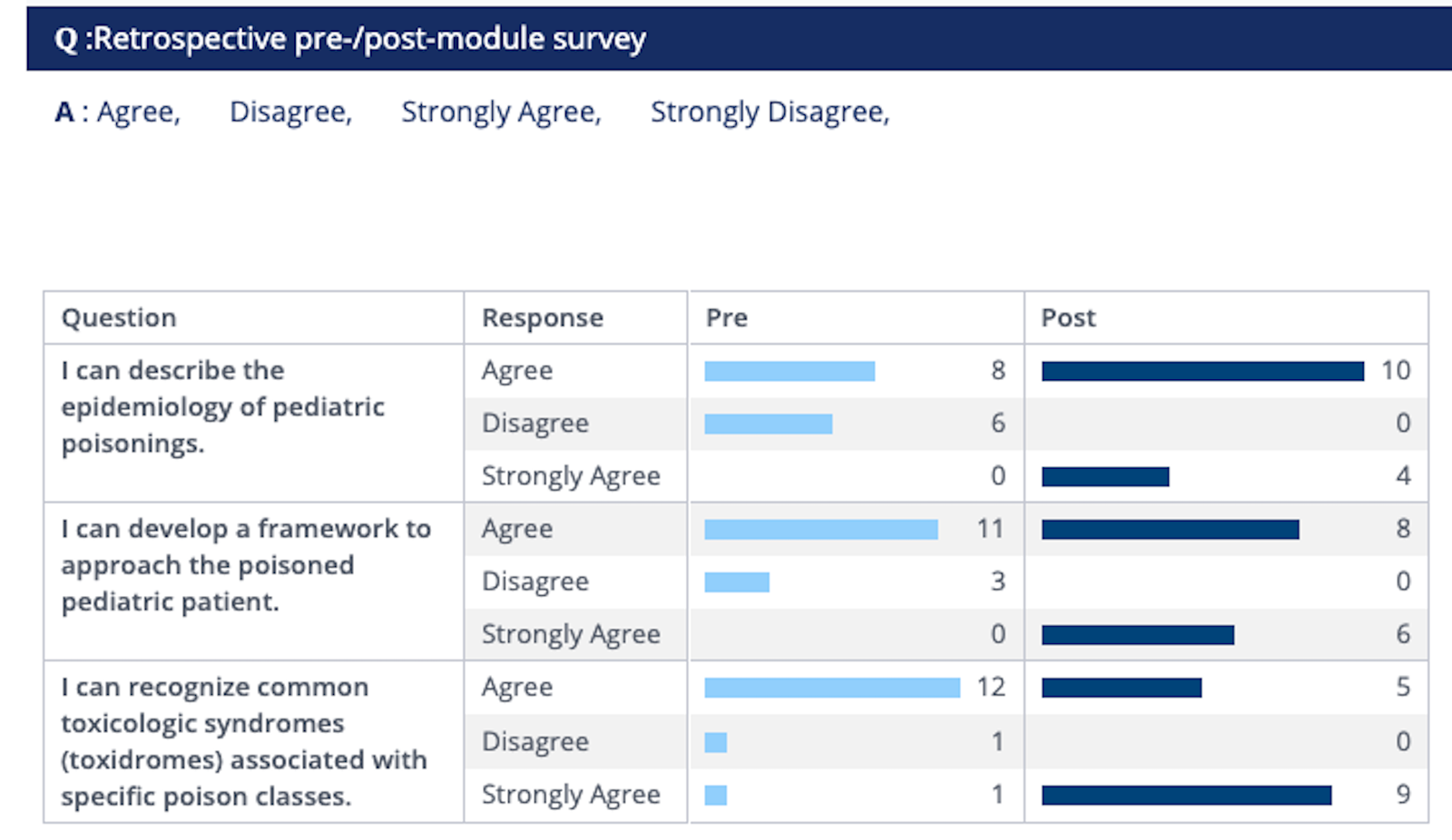
Data from PPN’s platforms are sent to a centralized learning record store allowing our team to create a number of dashboards to visualize impact. Below are examples of measurement dashboards that align with the Kirkpatrick Model and Miller Pyramid.
Reaction
All learning products collect user self-report data regarding satisfaction with learning products. This improves product designs over time.
Learning
Learning is measured with a mix of user completion data and self-report data. Aggregate data is collected for teams to measure how well learners have achieved the learning objectives of the educational product. This approach is used to refine and improve learning activities to improve skill development and behavior change outcomes.
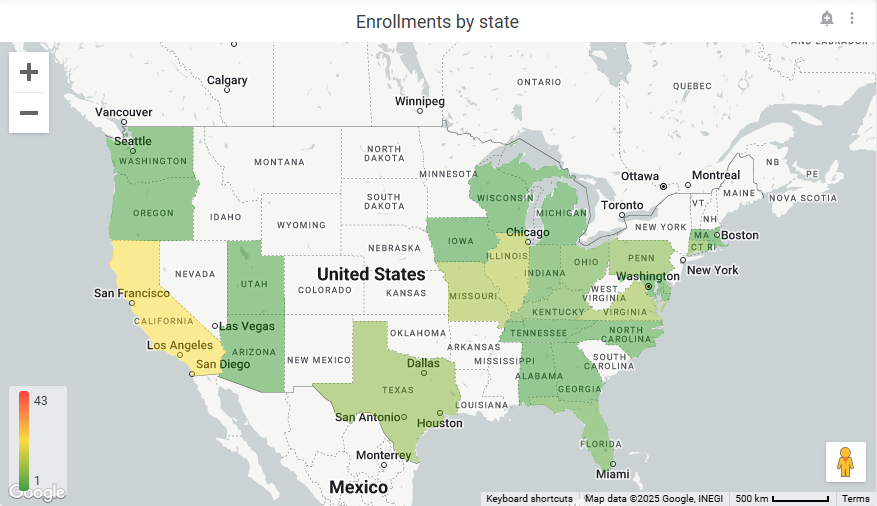
National Impact
Demographic information is captured to identify who the learners are and how education products are having an impact across the country.
Let's Work Together
If you would like to ask a question, explore a learning product, or discuss a partnership, please contact us by selecting the button below.